Me and You Multiplayer Modes Compared
Online, local shared/split-screen, and Remote Play Together - pick the right path for tonight.
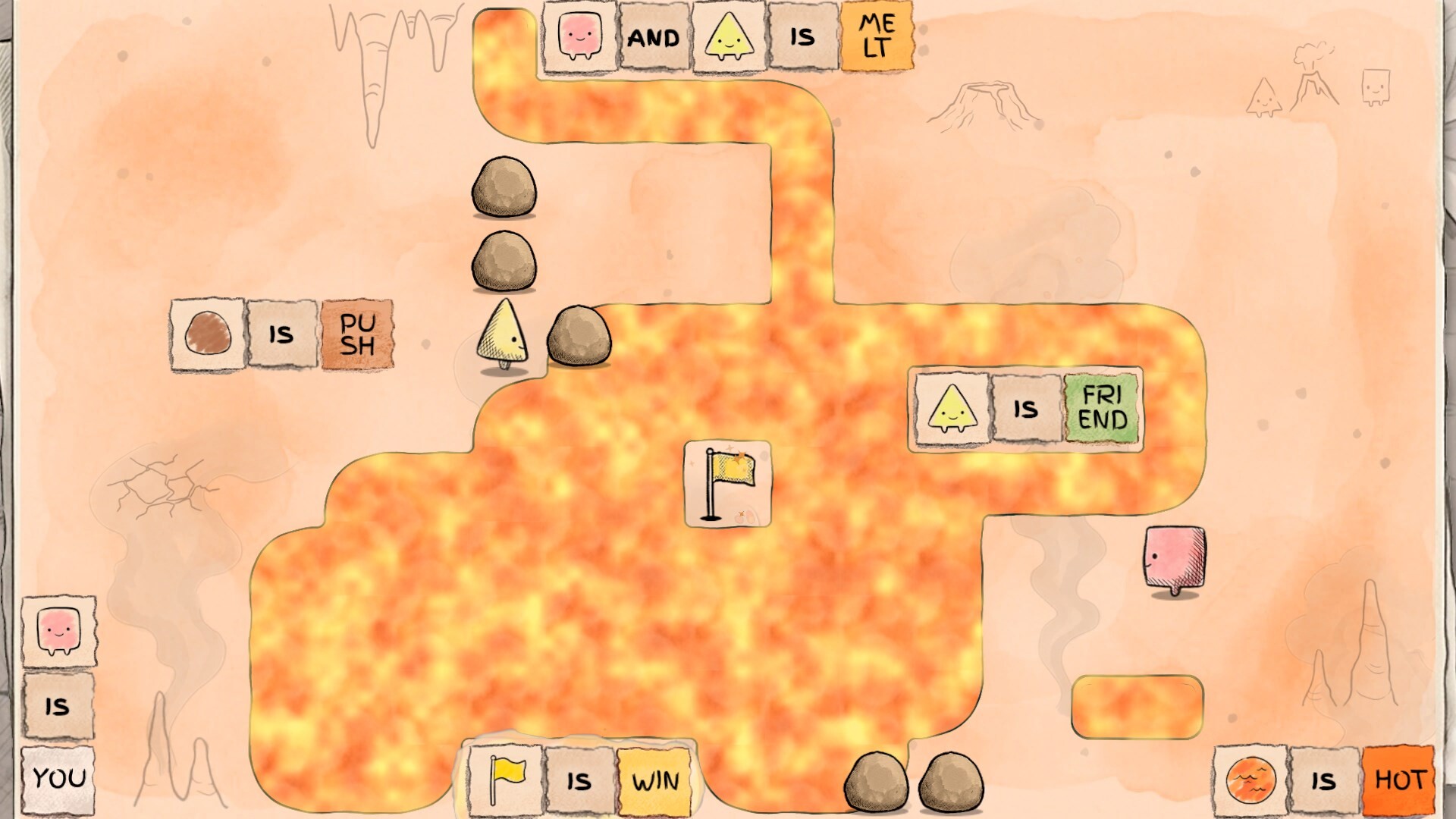
Me and You from PMF Top Joy Games is a two-player co-op puzzle game: every level needs both of you. Steam lists Online Co-op, Shared/Split Screen Co-op, Remote Play Together, and Family Sharing, with full controller support, Steam Input, and DualSense. The free demo (app 5150970) and the full game (app 4933500, launch November 25, 2026 on Windows and macOS) share the same mode family. This page compares the modes so you choose the right path before you open Chapter 1. For step-by-step invites, use Co-op Setup. For hardware floors, see System Requirements.
Mode comparison at a glance
| Mode | Who needs the game | Where you sit | Latency feel | Best for |
|---|---|---|---|---|
| Online Co-op | Both players (same app) | Separate machines | Native net sync | Long-distance pairs with two installs |
| Local shared / split-screen | One machine | Same couch | None (local) | Teaching Chapter 1, living-room nights |
| Remote Play Together | Host owns; guest streams | Anywhere | Stream delay on pushes | One install, or a weak guest PC |
Family Sharing can help a household share a library seat so a second Steam account can launch the owned copy under Steam’s rules - it does not replace a real second player. You still need two people at the board.
All three play modes use the same rule language. You still push word blocks, break bad sentences, and call out IS lines. Only the connection path changes. New pairs should skim Getting Started after picking a mode.
Online Co-op - when to use it
Choose Online Co-op when each person has Steam on their own Windows or macOS machine and can install the same build (demo or full). Both clients run the game; Steam invites join a shared session. This is the default for distant friends and for launch night when both of you wishlisted the full app.
Strengths: lowest input delay among remote options; each player keeps a full screen of readable word text; easy to keep Discord or Steam voice beside the game.
Trade-offs: both must own or download the same app ID; firewall prompts on first join are common; unstable Wi-Fi on either side can make simultaneous pushes feel sticky.
Host tips: Prefer the stabler connection as host. Host starts each level. Pause if voice drops. Keep Steam notifications from covering tiles. If a guest drops mid-room, re-invite from the host machine instead of both mashing menus. See Co-op Setup for the invite checklist.
Local shared / split-screen - when to use it
Choose local shared or split-screen when you share one couch and one PC or Mac. Two controllers, or controller plus keyboard, claim two seats on the title screen. Shared screen keeps one full board; split-screen gives each player a pane. On smaller monitors, shared often beats tiny split halves for reading short word tiles.
Strengths: zero netcode; fastest teaching loop for Chapter 1; great for couples who want to point at the same TV.
Trade-offs: one machine must handle two inputs cleanly; screen real estate matters; drinks near keyboards during long Chapter 2 rooms invite accidents.
Couch setup: Sit so both can read text without leaning across each other. Assign left/right board ownership verbally so you do not fight over the same rock. Confirm both seats move independently before the first level - details on Controls. Player one (host seat) still starts the level once both say ready.
Remote Play Together - when to use it
Choose Remote Play Together when only one person owns the demo or full game, or when a guest’s machine cannot run the client smoothly. The host launches Me and You, invites through Steam’s Remote Play Together overlay, and streams a seat. The guest binds an input on the stream.
Strengths: one install can unlock a full session; useful bridge before a friend buys or downloads; works when a guest laptop is weak.
Trade-offs: stream latency makes precise, simultaneous pushes harder; host upload quality matters; capture software and 4K desktop streams add stutter.
Host tips: Close heavy downloads, lower desktop resolution slightly if the stream stutters, and narrate before you shove a critical IS. Host still starts and resets levels. Once both own the game, prefer native Online Co-op for denser rooms.
Latency and connection tips
Word puzzles are not shooters, but timing still matters when both of you push at once. Practical guidelines:
- Prefer a wired host when you can; strong Wi-Fi is fine if signal is stable.
- Close large Steam downloads and 4K video on the host during long rooms.
- Keep voice on a dedicated channel so callouts stay clear when rules change.
- Agree on a “ready?” call before breaking key sentences - habits on Co-op Tips.
- If pushes feel delayed, swap who hosts once, then fall back to local or Remote Play for that night.
Community reports (watch, not confirmed official bugs): some demo players have said high ping (around 200 ms) can feel like a disconnect or make sync unreliable. Treat that as player feedback to watch - not as a confirmed developer bug list. If your pair sits near that range, prefer local couch play or a closer host, and retest after patches. Log what you saw (mode, approximate ping, demo vs full) so you can compare after the November 25, 2026 launch.
Bandwidth floors and Deck notes live on System Requirements.
Controllers across every mode
Steam lists full controller support, Steam Input, and DualSense. Online, each player uses their own pad or keyboard. Local, test both seats on the title screen before chapters. Remote Play, the guest binds through the streamed seat - expect a little extra delay on DualSense haptics and face buttons. Never assume one pad will drive both characters; Me and You expects two actors on every board.
Launch-day checklist (November 25, 2026)
- Confirm both accounts can launch the full app (4933500), not only the demo (5150970).
- Pick a mode tonight: Online if both own it; local if you share a couch; Remote Play if one install is still missing.
- Update Steam, verify files if launches fail, and test both inputs for ten seconds.
- Decide host, voice app, and who starts each level.
- Skim Release Info for calendar context, then clear an easy room before diving into new chapters.
- If online feels sticky at high ping, switch to local or Remote Play and note it for later patches.
How this page fits the wiki
Use this comparison to choose a mode. Use Co-op Setup to execute the invite. Use Co-op Tips once you are inside a puzzle. Use Controls when seats fight. Use Getting Started for the first-hour plan.
Me and You rewards pairs who treat connection quality as part of the puzzle. Pick the lowest-friction mode for tonight, keep talking, and rewrite the rules together.
Common pre-launch questions also live on the FAQ guide.
Frequently Asked Questions
Quick answers to the most common questions.
What multiplayer modes does Me and You support?
Steam lists Online Co-op, Shared/Split Screen Co-op, Remote Play Together, and Family Sharing. Every level still needs two players - Family Sharing only helps with library access, not solo clears.
Online Co-op or Remote Play Together - which should we pick?
Prefer Online Co-op when both have the same install; it usually feels more responsive. Use Remote Play Together when only one person owns the game or a guest PC is weak, then switch to online once both own it.
Is local shared screen better than split-screen?
On smaller monitors, shared screen often keeps word tiles more readable. Split-screen helps when each player wants a personal pane on a large TV. Test both seats before Chapter 1.
Do high-ping connections break Me and You online?
Some players report that roughly 200 ms ping can feel like a disconnect or make sync unreliable. Treat that as community feedback to watch, not a confirmed official bug. Prefer a closer host or local play if sessions feel sticky.
Does every level require two players?
Yes. Boards are designed so one person cannot finish alone. Invite a partner via online, local shared/split-screen, or Remote Play Together.
Where are step-by-step invite instructions?
Open Co-op Setup for online invites, local seats, and Remote Play Together steps. Use this Multiplayer Modes page to decide which path fits your night.