Me and You Getting Started Guide
Wishlist, install the demo, grab a partner, and rewrite your first level rules without wasting the evening.
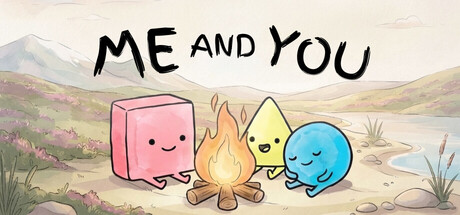
Me and You is a two-player puzzle where the board’s grammar is the puzzle. You push scraps of paper (word tiles), rocks, and walls until sentences like FLAG IS WIN or WALL IS PUSH light up, then you act on whatever those sentences just made true. PMF Top Joy Games built every stage so one person cannot finish alone. This getting-started guide covers the first hour: store page setup, demo install, finding a partner, and surviving Chapter 1 without rage-quitting the friendship.
The full game releases on November 25, 2026 for Windows and macOS on Steam (app 4933500). The free Me and You Demo (app 5150970) already ships Chapter 1 The Beginning and Chapter 2 Water Adventure. Wishlist the full game now so you get the launch notification, then install the demo tonight.
Step 1 — Wishlist and verify your setup
Open the Steam store page for Me and You, hit Wishlist, and confirm your machine meets the light requirements (any modern Windows or macOS box is fine — the store lists flexible minimums). Note the features you care about:
- Online co-op
- Shared / split-screen co-op
- Remote Play Together
- Full controller support and Steam Input
- Steam Cloud and Achievements (full game)
If you already own a second controller, plug it in before launch so Steam Input can see both seats. Prefer keyboard? One player on WASD-style movement and one on arrows is a common couch split — see Controls for suggested bindings and pad layouts.
Step 2 — Install the free demo
From the same store hub, open Me and You Demo (app 5150970) and install. Launch once solo just to confirm shaders, display mode, and audio levels, then quit. You are not meant to clear levels alone; this pass is only a smoke test. While the demo downloads on your partner’s PC (or while you set up Remote Play Together on yours), skim How to Play so both of you share vocabulary: YOU, WIN, STOP, PUSH, SINK, and the sacred connector IS.
Step 3 — Find a partner (and agree on a channel)
You need a second human. Options that the game and Steam support:
- Online co-op — each of you on your own PC, voice chat in Discord or Steam.
- Local shared or split-screen — same couch, two controllers or mixed keyboard/pad.
- Remote Play Together — host owns the running session; guest streams in through Steam without owning the demo on their library in the usual install sense (guest still needs a Steam account and a stable connection).
Pick one before you load Chapter 1. Argue about input before the first maze, not inside it. For etiquette, role ideas, and “who talks when,” read Co-op Tips.
Step 4 — Learn the first rules on purpose
Chapter 1 opens gently. Levels such as The flag is win, Rockfall, Teamwork, and We are together teach the fantasy in plain sight: form a sentence, watch objects change, touch the win condition while you are still YOU. Early habits that save hours later:
- Read the whole board out loud before anyone pushes. Name every complete X IS Y sentence.
- Do not break a working YOU rule unless you have a plan to remake it. Soft-locking yourselves as rocks is a rite of passage — undo exists for a reason.
- Undo generously; restart sparingly. Restarting wipes a shared mental model. Undo lets you rewind a single bad shove.
- Stand on opposite jobs. One player shepherds word tiles; the other keeps characters in position or holds a blocking rock. Swap roles when someone stalls.
When a sentence finally reads the way you hoped and the win object lights up, both of you should confirm who is currently YOU before the victory touch. Plenty of near-clears fail because the wrong body walked into the flag.
Step 5 — Expect transformation puzzles early
The demo will ask you to turn a partner into a door, a rock, or a wall. That is not a bug — it is the fantasy sold on the Steam page. Mentally separate player intention from object identity. The human on voice chat is still your teammate even when their avatar is briefly a key or a barrier. Plan the re-transformation before you commit, or leave a spare IS YOU path on the board.
If water appears in Chapter 2, remember SINK and related properties from Rules and Word Blocks. Water Adventure levels (Out of reach, You and flag, Water castle, and friends) punish careless pushes into tiles that delete what you needed.
Step 6 — Use guides as hints, not scripts
After two or three stuck attempts on a room, open the Demo Walkthrough. Read only the hint paragraph for that level, then alt-tab back. Clearer tips exist below each hint if you are still frozen. Watching a full clear on video is fine for learning pacing, but trying the shove yourself teaches the grammar faster.
First-session checklist
- Full game wishlisted (4933500)
- Demo installed (5150970) on the host machine
- Partner confirmed + voice channel ready
- Controllers or keyboard seats tested in a quiet lobby
- Both players skimmed How to Play vocabulary
- Agreement: call out rules before big pushes; undo before restart
- Bookmark this wiki’s Guides Hub for mid-session lookups
What success feels like on day one
A good first session clears most of Chapter 1 and maybe dips into Chapter 2 without anyone muting the call. You will mis-push. You will accidentally make ROCK IS YOU and laugh. You will discover that WALL IS STOP was carrying the entire maze on its back. That friction is the product. Me and You rewards pairs who narrate the board, not pairs who silently optimize like a speedrun on attempt one.
When you are ready for deeper systems, continue to How to Play and Rules and Word Blocks. When launch week arrives on November 25, 2026, check Updates for patch notes and return here if onboarding steps change.
Bring patience, a second set of hands, and the willingness to turn your friend into a door. The rest is just pushing paper until the sentence tells the truth you need.
Frequently Asked Questions
Quick answers to the most common questions.
Do I need the full game to try Me and You?
No. Install the free Me and You Demo on Steam (app 5150970). It includes Chapter 1 The Beginning and Chapter 2 Water Adventure. Wishlist the full game (app 4933500) for the November 25, 2026 release.
Can I play the demo solo to learn?
You can launch solo to test graphics and menus, but you cannot finish levels as designed. Every stage needs two players — use online co-op, local split-screen, or Remote Play Together.
What should we learn before Chapter 1?
Learn that complete IS sentences create rules, that YOU marks who you control, and that WIN is usually what you must touch. Skim How to Play and agree on undo-first habits.
Online co-op or Remote Play Together?
Prefer native online co-op when both of you own/install the demo. Use Remote Play Together when only one PC should host or when a guest cannot install. See Co-op Tips for tradeoffs.
Where do I go after the first session?
Read Rules and Word Blocks for grammar depth, Controls if inputs feel awkward, and the Demo Walkthrough only when a specific level stalls you.